

Photographs are among the most lasting souvenirs from a theme park. The challenge is deciding when paying for professional images adds value, when a phone is enough and when photography interferes with safety or other visitors' experiences. Some resorts offer dedicated photo packages and on-ride images; others rely on individual photo booths or roaming photographers. Pricing, ownership terms and ride restrictions differ widely, so the best strategy is to understand the product before the first posed photograph.
On this page
- Know what the photo package actually includes
- Decide between professional photos and personal devices
- On-ride photography and prohibited devices
- Photograph children and other guests respectfully
- Better photos without expensive equipment
- Budget and purchase timing
- Plan a small photo itinerary
- Comparing three typical photo-buying scenarios
- Camera settings and accessible photography
- After the visit: download and protect the files
- Frequently asked questions
- Final planning advice
Quick planning checklist
| Planning area | Recommended check |
|---|---|
| Photo package | Check participating locations and download rights. |
| On rides | Follow camera and loose-object restrictions. |
| Privacy | Respect other guests and children in photos. |
| After travel | Download originals before the published deadline. |
Know what the photo package actually includes
PhotoPass, Memory Maker and similar branded services are not interchangeable. A product may cover digital downloads from official photographers, ride photographs, selected magic effects or group images, but not printed products or every special event. Another park may sell only one individual image or require scanning a wristband after the ride. Check which locations participate and whether images are linked automatically to the ticket or must be claimed within a time limit.
Read the operator's current terms for download windows, image resolution, permitted sharing and refund conditions. A digital package bought early may differ from a product purchased after the visit. A family should avoid assuming that 'unlimited' means every person, camera and separately operated attraction is included. If everybody is excited about on-ride photos, count how many participating attractions they will realistically use before deciding the package offers good value.
Decide between professional photos and personal devices
A photographer can produce a convenient group picture with nobody missing from the frame. That is especially valuable for multigenerational families who rarely appear together in holiday photographs. But personal phones remain useful for themed details, relaxed portraits, food and the atmosphere around a show. Use the two approaches together rather than trying to document every minute. A day dominated by repeated photo stops can frustrate children or visitors who would rather experience attractions.
Ask whether the photographer's system provides an image preview or identification code. Keep the code in a secure note and verify that the photo is associated with the correct booking before leaving the location. Review the image at a sensible moment rather than holding up a queue. If a group member dislikes being photographed, respect the preference and plan the composition accordingly; ticket purchase does not remove the need for consent.
On-ride photography and prohibited devices
Many attractions have strict loose-article rules. A phone, action camera, selfie stick or clip-on mount can become hazardous when a train accelerates or changes direction. Some attractions ban handheld filming altogether, including devices attached to wrists or chest harnesses. Other experiences permit photography only without flash. Never hide a device to get footage after staff instruct you to secure it; the issue is safety, not merely lost revenue for a photo booth.
Use the official on-ride photo system when one is available and worthwhile. If the park requires lockers, place all prohibited items there before reaching boarding. Read whether eyeglasses, hats and small bags need securing. For live shows, follow instructions about flash, video recording and copyrighted performances. If you are not sure whether a ride permits a camera, ask the attendant before entering the queue rather than making an assumption based on another park.
Photograph children and other guests respectfully
Public spaces inside commercial parks have rules and expectations about filming. Avoid closely photographing unrelated children or following performers outside authorized interactions. When uploading a family photo, consider whether strangers in the background could be unnecessarily identified. Obtain appropriate consent before publishing someone else's face in a commercial project. Costume characters often have structured meeting procedures; allow others their turn and do not push forward to capture an unapproved close-up.
For children in the group, consider whether sharing real-time location information is wise. A caption revealing exactly where the family is staying or which gate they will leave through adds little to the memory. If the trip is documented for social media, separate private family pictures from content intended for public publication. A dramatic image should never require crossing a rope, entering restricted landscaping or obstructing a ride exit.
Better photos without expensive equipment
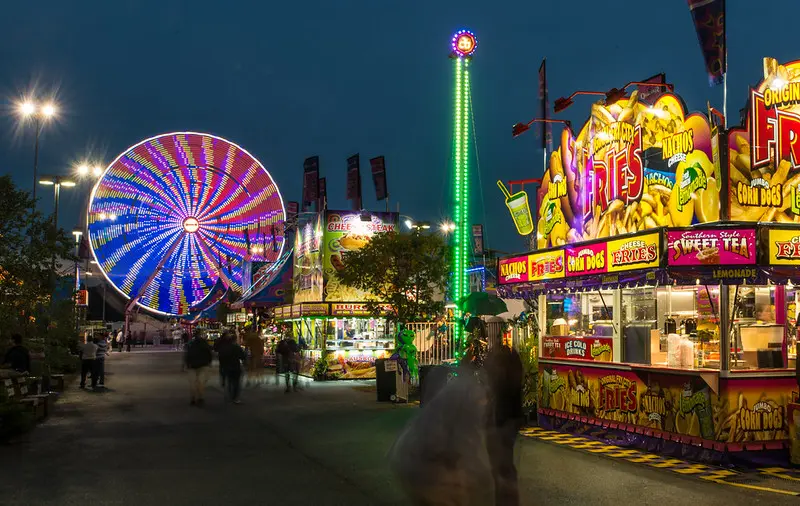
Early and late daylight can provide attractive conditions on themed streets, but park operating schedules and weather matter more than a generic photography rule. Look for foreground elements that give a sense of scale: an entrance sign, sculpted landscaping or a moving tram. Use a stable stance and a short pause to let passing crowds disperse naturally. For nighttime lights, steady the phone and avoid forcing the group to stop in the main pedestrian flow.
Back up important images when there is a reliable connection, and keep enough storage space for the rest of the holiday. Carry a permitted power bank because photography can drain a phone needed for digital tickets. For expensive cameras, check bag-size and tripod rules in advance; some parks prohibit professional-looking equipment without authorization. You can create excellent memories with a simple phone while enjoying the visit more fully.
Budget and purchase timing
A photo package makes sense when the whole party wants professional group portraits, many participating attractions are planned and the operator's terms include useful digital files. Individual purchases may be wiser for a short visit or a family whose children avoid intense rides. Compare costs after including taxes and any separate print charges. If the photo service is tied to a certain number of days, check whether non-park days consume the entitlement period.
Never buy an unofficial code or download promised by a stranger online. Use the operator's store, app or authorized photographer. If a photo fails to appear, note the ride, approximate time, date and receipt before contacting official support. Image-recovery options depend on what the operator can locate; nobody should assume a photo is guaranteed simply because the camera flashed.
Plan a small photo itinerary
Choose two or three meaningful locations: a group image near an iconic entrance, a family portrait after a favorite show and one relaxed evening photograph. If the park has an official photo package, identify participating sites that lie near your planned route rather than crisscrossing the grounds. One adult can handle image retrieval while another takes responsibility for meeting points and child supervision. Keep photography secondary to the shared day.
People have different preferences. A teenager might like a dramatic ride picture; a grandparent may value a portrait with the family; a child may not enjoy bright flashes. The best album includes those differences rather than repeating the same posed image. Add captions after the holiday when there is time to remember what made each moment special.
Comparing three typical photo-buying scenarios
A couple on a single-day visit might want one high-quality entrance portrait and perhaps a favorite coaster picture. Individual downloads can be better value than an unlimited package, provided the operator sells them separately. A family spending four days at the same resort may obtain far more use from a multi-day digital package, especially when photographs are taken by official photographers in several themed lands. A youth group may primarily need one authorized group photo, with appropriate consent, rather than separate images for every participant.
Build a simple calculation with expected images rather than hypothetical maximum use. Ask: How many participating attractions will we ride? Will everyone be photographed together? Are digital files required, or would a printed souvenir be enough? Will we have time to visit designated photo locations? A 'great value' unlimited product can become expensive if the party repeatedly diverts from planned activities just to create more pictures.
Camera settings and accessible photography
Visitors with limited dexterity or visual impairments may prefer accessible camera controls, voice commands or help from an agreed companion. The operator's own photo service can be a useful alternative to handling a phone in a busy queue. When someone does not want to be photographed or shared online, respect that choice even if a group has already purchased a package. Consent and accessibility should shape the activity, not appear as afterthoughts.
For nighttime photography, do not stand in the flow of guests heading toward exits or transportation. Use an approved static viewpoint and avoid flash during performances where prohibited. A compact camera should be secured in a bag before boarding a ride, even when a device seems light. If an operator bans tripods or selfie sticks, follow the ban rather than arguing that the equipment is 'only for one picture.' Good photographs are never worth a safety incident.
After the visit: download and protect the files
Check the photo service's retention period as soon as the holiday ends. Download originals within the official window, back them up to a second location and keep receipts until the image order is resolved. If the license limits commercial use, respect that condition when publishing pictures on a monetized travel blog. Avoid copying watermarked preview images from an operator's shop or removing copyright identifiers. A purchased digital file still has usage terms, and the operator's website is the authoritative place to check them.
Frequently asked questions
Are all ride photos included in a park photo pass?
Not necessarily. Participating rides, event images and product terms vary by park and package.
Can I bring a GoPro onto a roller coaster?
Only where the attraction expressly permits it. Do not assume a strap or mount makes it acceptable.
Is a professional package worth buying before arrival?
Compare official terms and your expected use. Discounts may exist, but a shorter visit may justify individual photos instead.
Can I take photos of characters?
Usually in designated interaction areas under park procedures; respect staff instructions and other guests' privacy.
What happens if I cannot find a purchased image?
Contact the authorized photo provider with the date, location, approximate time and order reference promptly.
Related park guides
- Magic Kingdom Guide: Best Rides, One-Day Plan, Tickets and Family Tips
- Disneyland Park California Guide: Best Rides, Rope Drop and One-Day Plan
- Tokyo DisneySea Guide: Fantasy Springs, Journey to the Center and One-Day Plan
- Disney California Adventure Guide: Cars Land, Avengers Campus and One-Day Plan
Official references and policies
Walt Disney World PhotoPass Service — review current conditions directly with the operator.
Disneyland rules including selfie sticks — review current conditions directly with the operator.
Final planning advice
Select a few special pictures, respect ride rules and choose photo products on the basis of actual usage. The goal is an album that recalls a wonderful visit, not a visit sacrificed to producing an album.